AES-256-GCM at rest
Every provider, account and transaction is written to disk as ciphertext. Not hidden, not obfuscated - encrypted.
 Stashly
Private by design
Stashly brings every account, asset and debt into one encrypted picture - banks, cash, crypto, gold, property, pensions. There is no account to create, no cloud to trust and no bank password to hand over.
Ultimate is free for 3 months - and these are launch prices.
Security
"Bank-level security" means nothing without specifics. Here are ours, in full, so you can check them against what the app actually does.
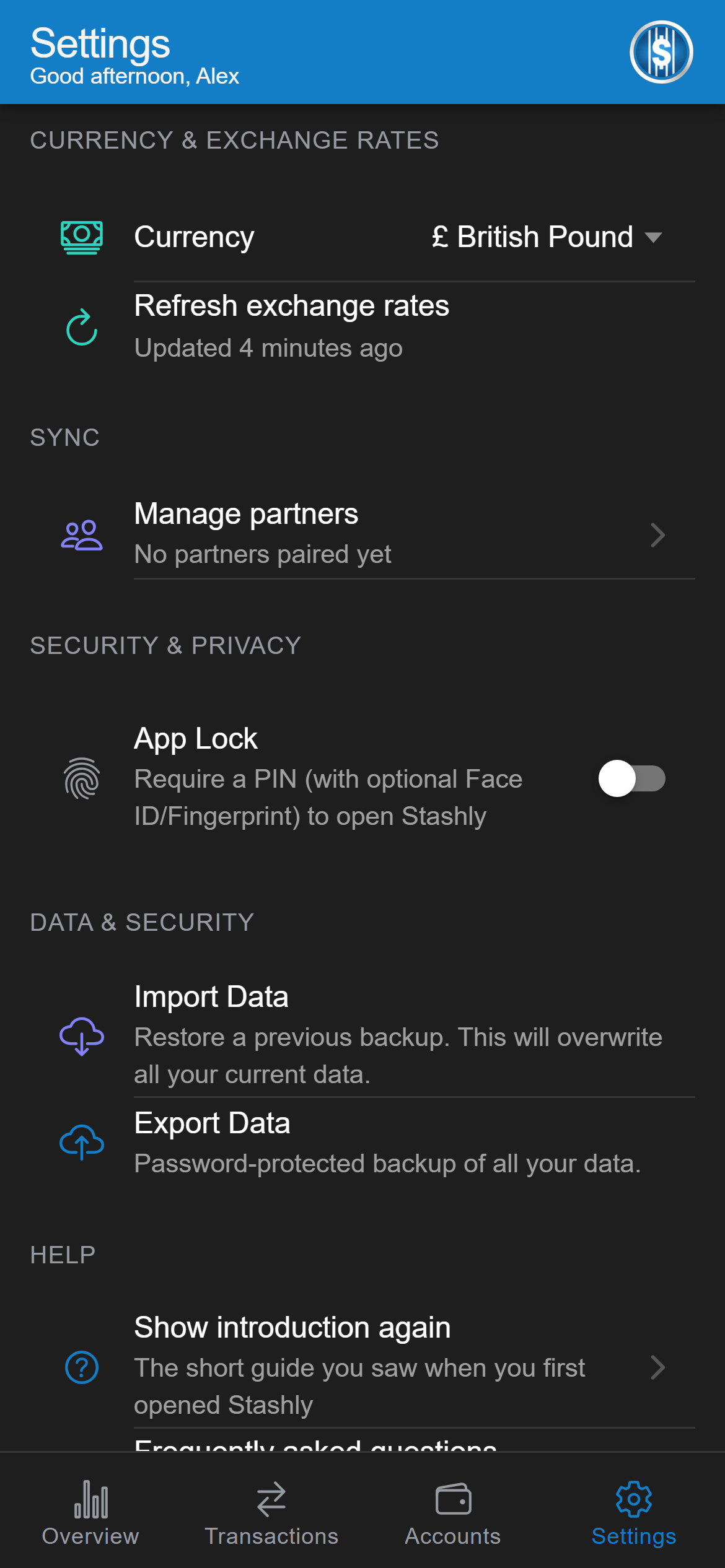
Every provider, account and transaction is written to disk as ciphertext. Not hidden, not obfuscated - encrypted.
Your encryption key is generated on the device and held in the iOS Keychain or the Android Keystore. It never leaves, and it can never become part of a backup.
A six-digit PIN, with Face ID or a fingerprint on top if you want one. The PIN is the fallback, so a failed sensor never locks you out of your own records.
A second PIN opens a separate, decoy dataset in its own encrypted namespace under its own key - for the moment somebody insists you unlock your phone.
Balances are hidden in the app switcher, screenshots are blocked on Android, and one tap blurs every figure on screen when you are not alone.
Export a password-protected snapshot: PBKDF2-SHA256 at 600,000 iterations, then AES-256-GCM. Lose the password and nobody recovers it - including us. That is the point.
Export an encrypted file, install, import. One password, no cloud account, and it moves between iPhone and Android either way. The phone's own cloud backup is deliberately not a route in: the key that opens your data is made on the device and never leaves it.
No account, no server, no analytics SDK. The only request Stashly makes is to the European Central Bank's public rate feed - which is asked for rates and told nothing about you. Even a shared household goes phone to phone, with no copy in the middle.
What it does
Privacy-first usually means thin. Scroll through what you actually get.
The whole picture
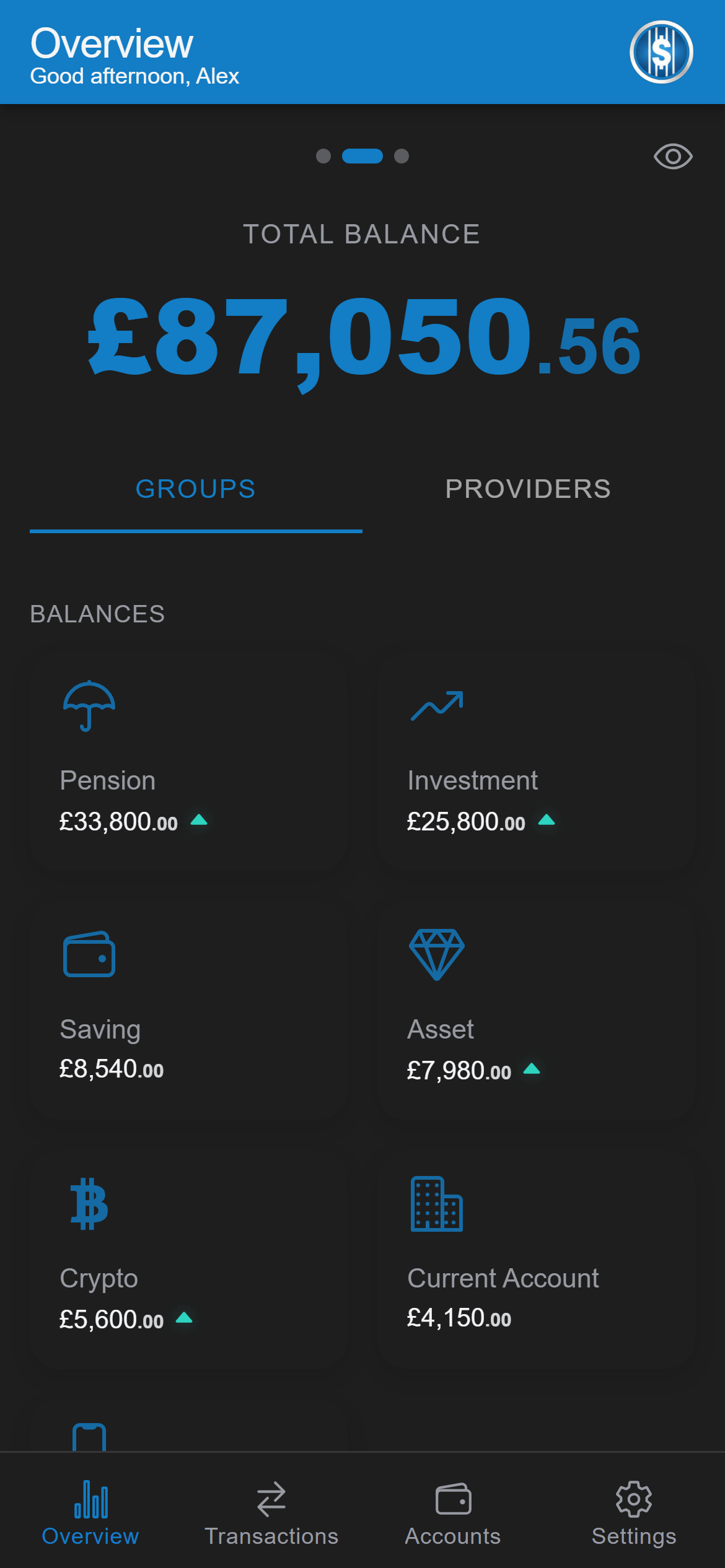
Current accounts and cash, e-wallets and crypto, pensions and investments, gold by the gram, a flat by the square metre - and the mortgage against it, carried as a negative balance. Eleven account groups, so nothing has to be squeezed into "other".
Beyond the headline
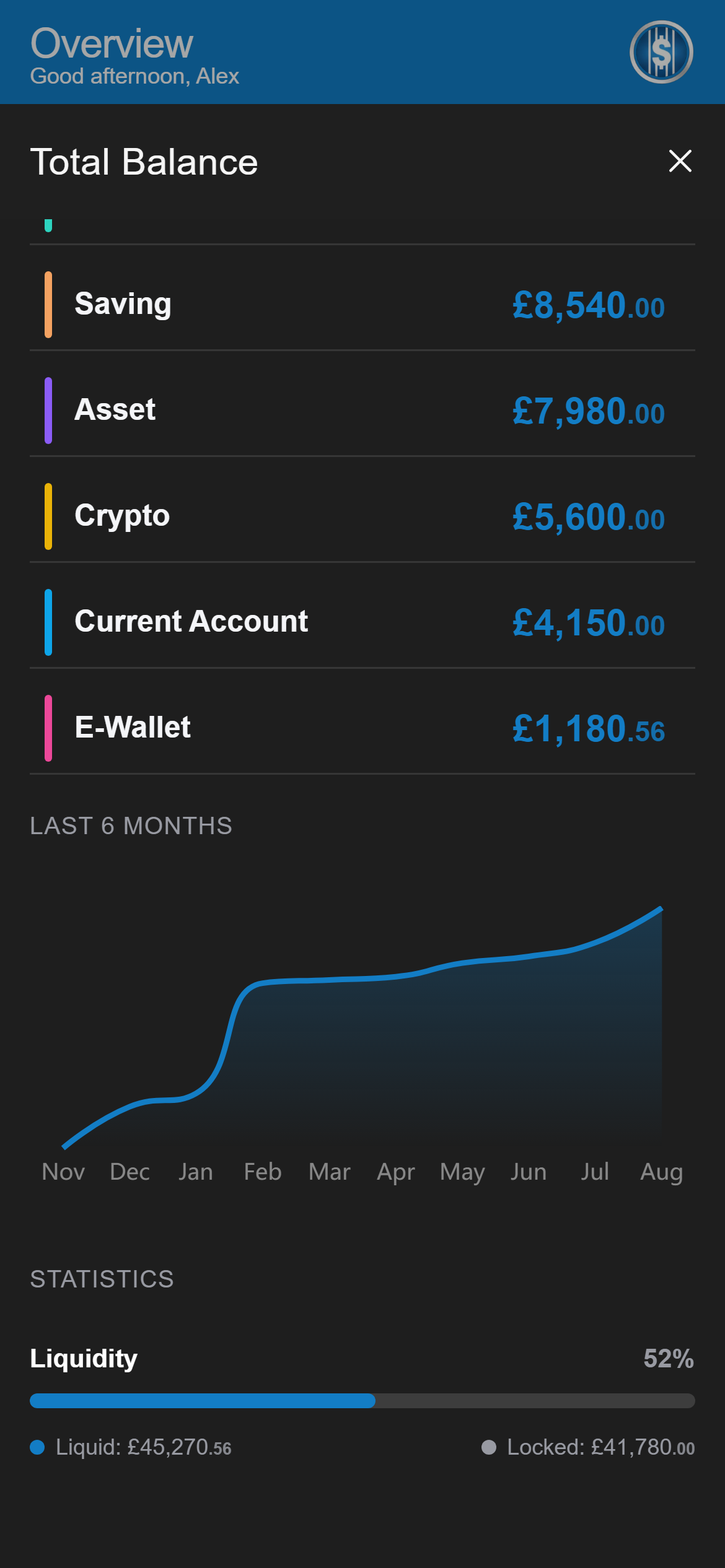
Tap any card for its composition, its trend, its return, and the split between money you could reach this afternoon and money that is locked away for years.
Goals
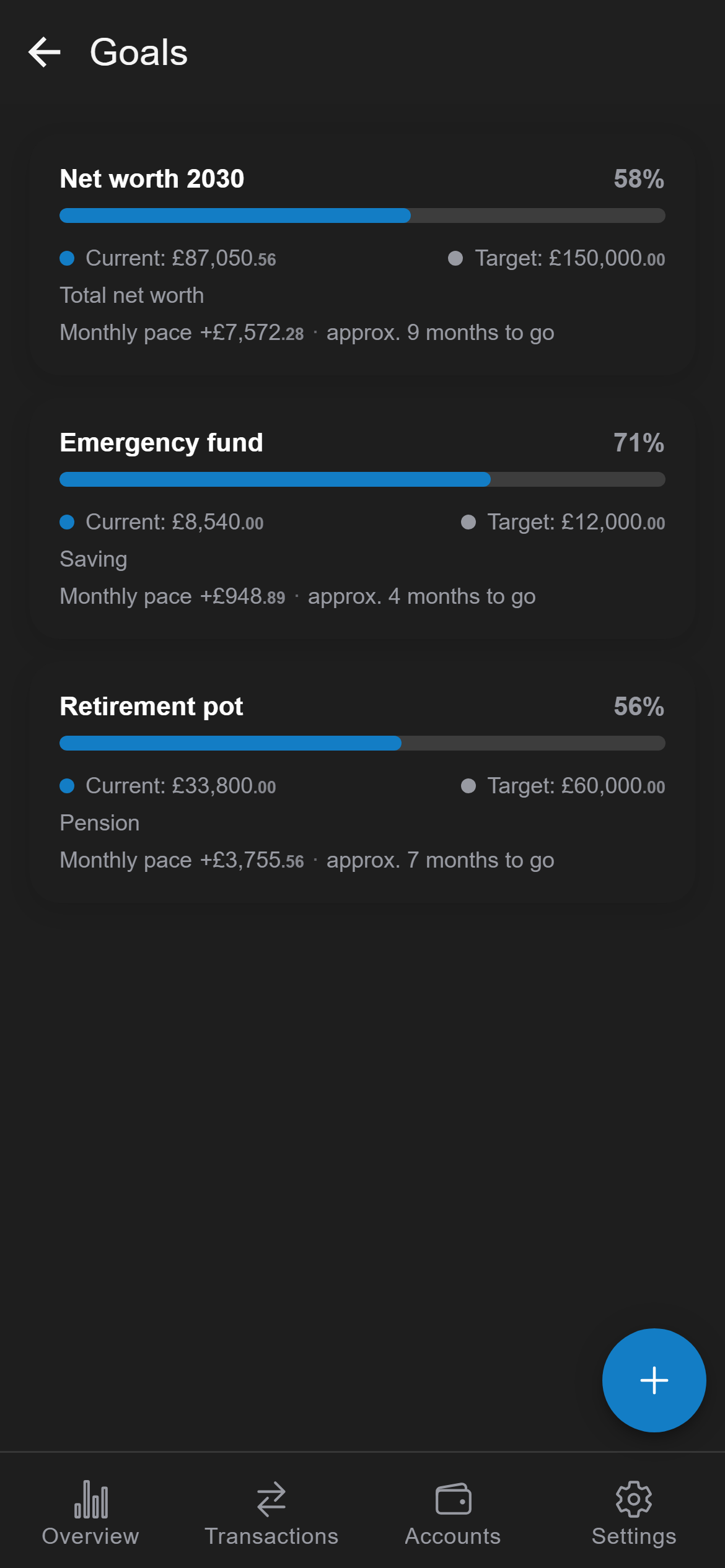
Set a figure for your whole net worth or for one category. Stashly works out the pace from your real months - and says it cannot tell yet rather than inventing a date.
Allocation
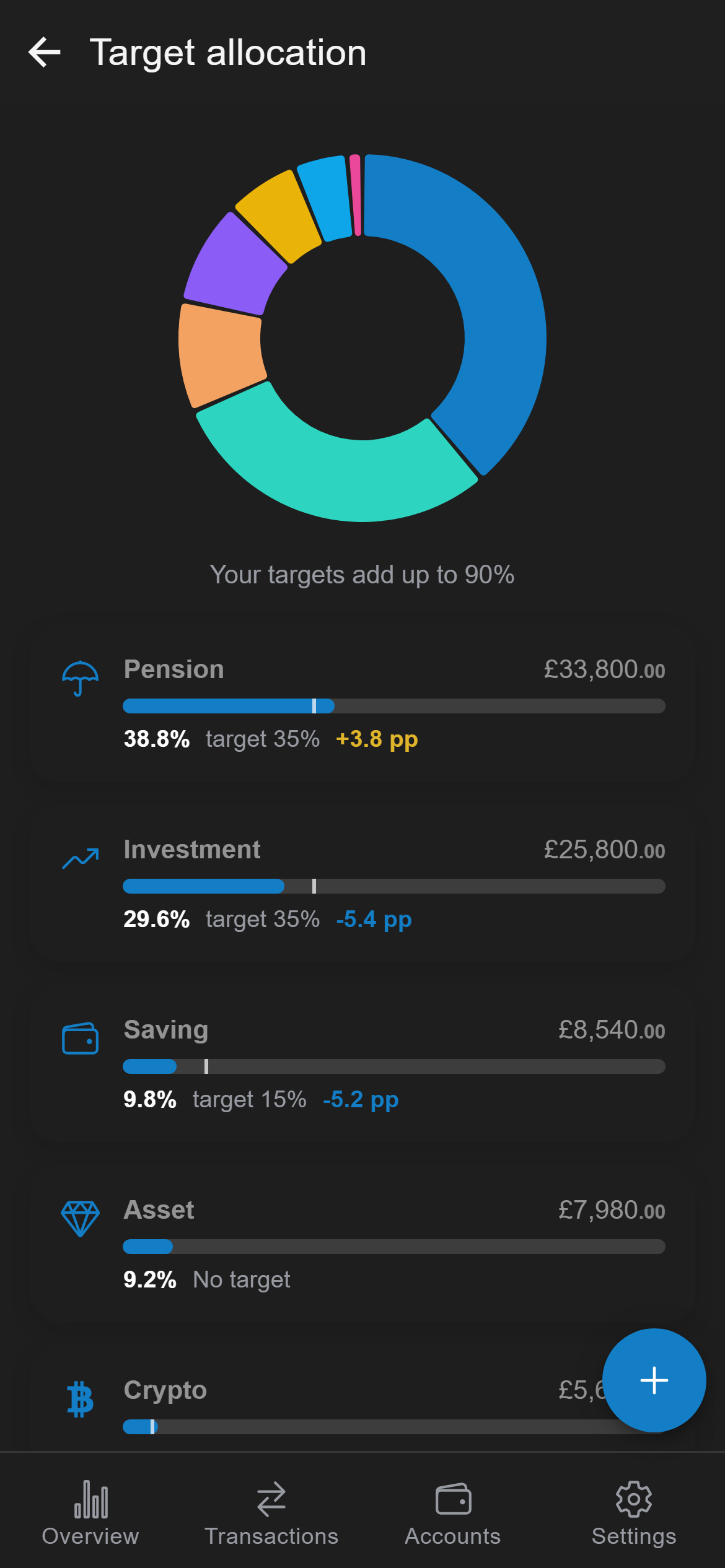
Say what share each category should hold. See the gap in percentage points, on the same screen as the balances that caused it.
Forecast
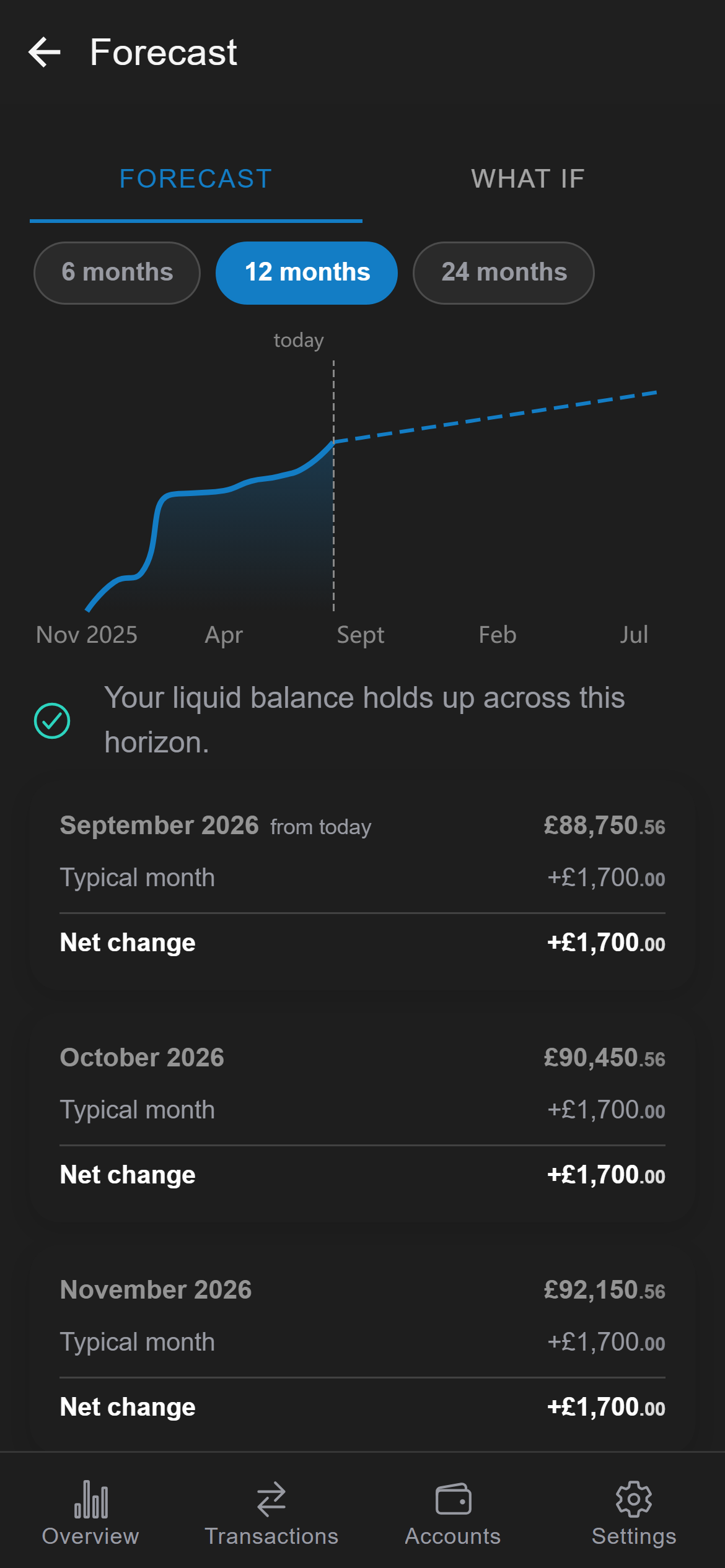
Recurring entries you have already committed to, plus what a typical month has looked like, carried 6, 12 or 24 months forward - with a warning if liquidity runs thin.
What if
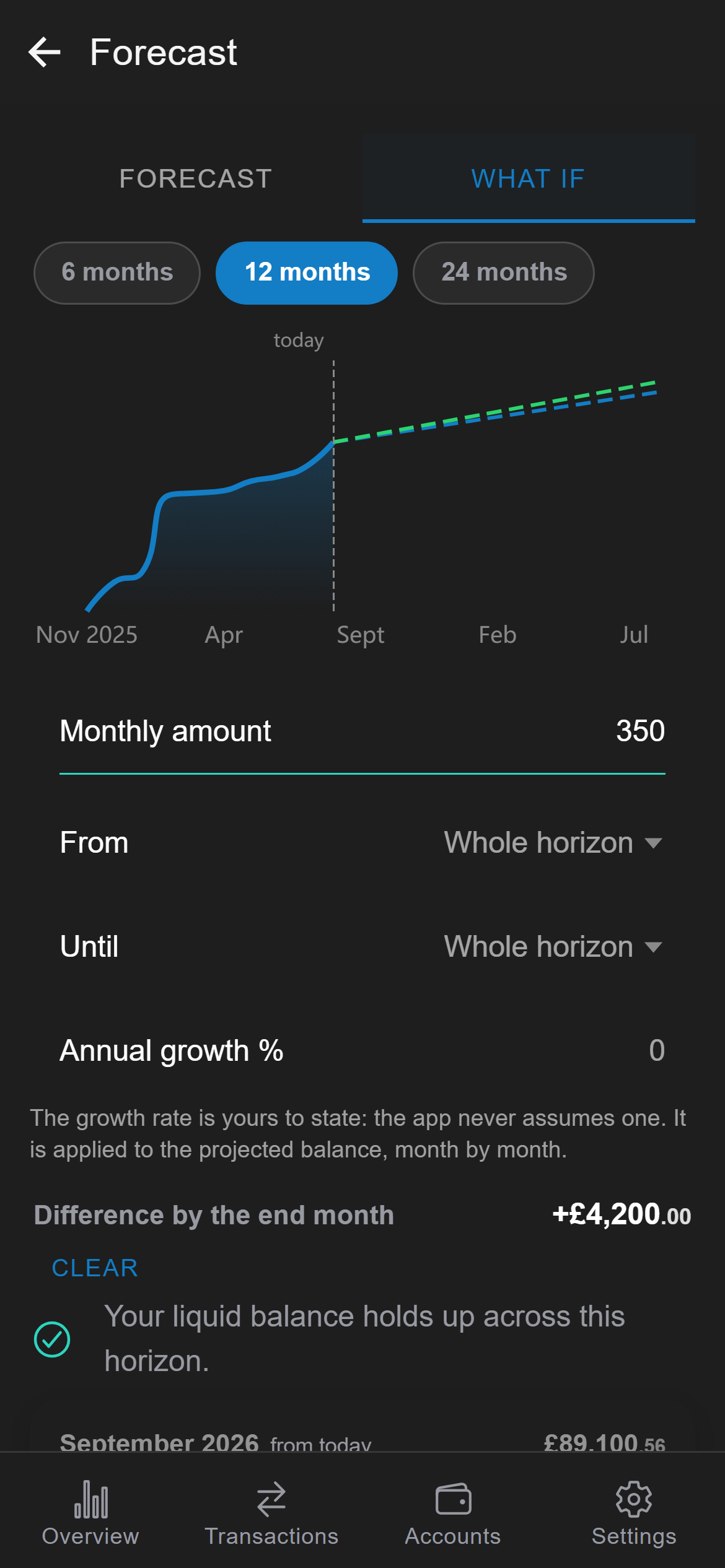
Another 350 a month, starting in March. A growth rate you state yourself - the app never assumes one for you. Both lines on one chart, and the month list moves with them.
Year in review
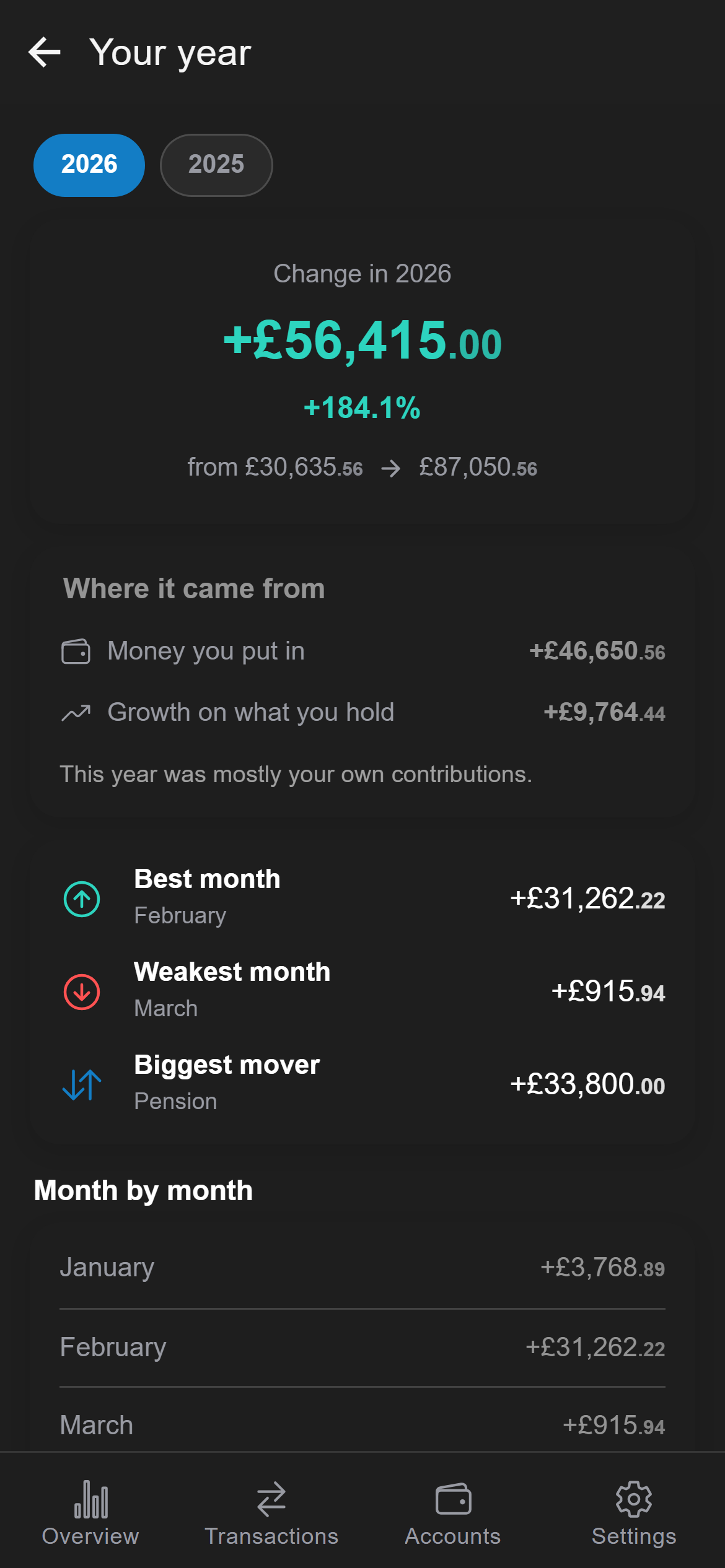
The one split that answers whether a good year was your discipline or the market. Then every month of it, best and weakest called out.
Hold accounts in 25 currencies. A historical month converts at that month's rate, not today's, so last year stops moving every time the market does - and currency gains count as real return, because they are.
Pair two phones over a QR code or Bluetooth for a combined household total with a clear "mine" split. The devices talk to each other directly; no server sits in between. Each device needs its own Ultimate subscription.
Monthly or weekly recurring rules fill in the salary, the standing order and the pension contribution, so staying up to date does not become a chore.
A PDF summary of where you stand, and a full written analysis of your position - yours to keep, read or hand to an adviser.
Plans
Unlimited accounts and transactions, encrypted storage and your own backups cost nothing. The paid tiers add analysis and planning on top - and a locked feature always says it is locked, so you never tap into silence.
A complete tracker, not a trial.
The comfort layer on top.
Planning, not just recording.
3 months free, cancel any time
Ultimate starts with 3 months free for anyone who has not subscribed before - nothing is charged until the trial ends. These are launch prices and will rise as Stashly grows; if you subscribe now, your price stays as it is. The exact amount is always shown in the app, in your own currency, before anything is charged.
Before you install
Every one of these is a consequence of keeping your data on your device. If any of them is a deal-breaker, better to find out here than on day three.
Install it, add one account, and see your own number by the end of the afternoon. No sign-up stands in the way, because there is nothing to sign up to.
Read the privacy policy